 Mirroir
Guide - 7 min read
How Virtual Try-On Works
The technology behind seeing yourself in an outfit you don't own yet.
Two Inputs, One Generated Image
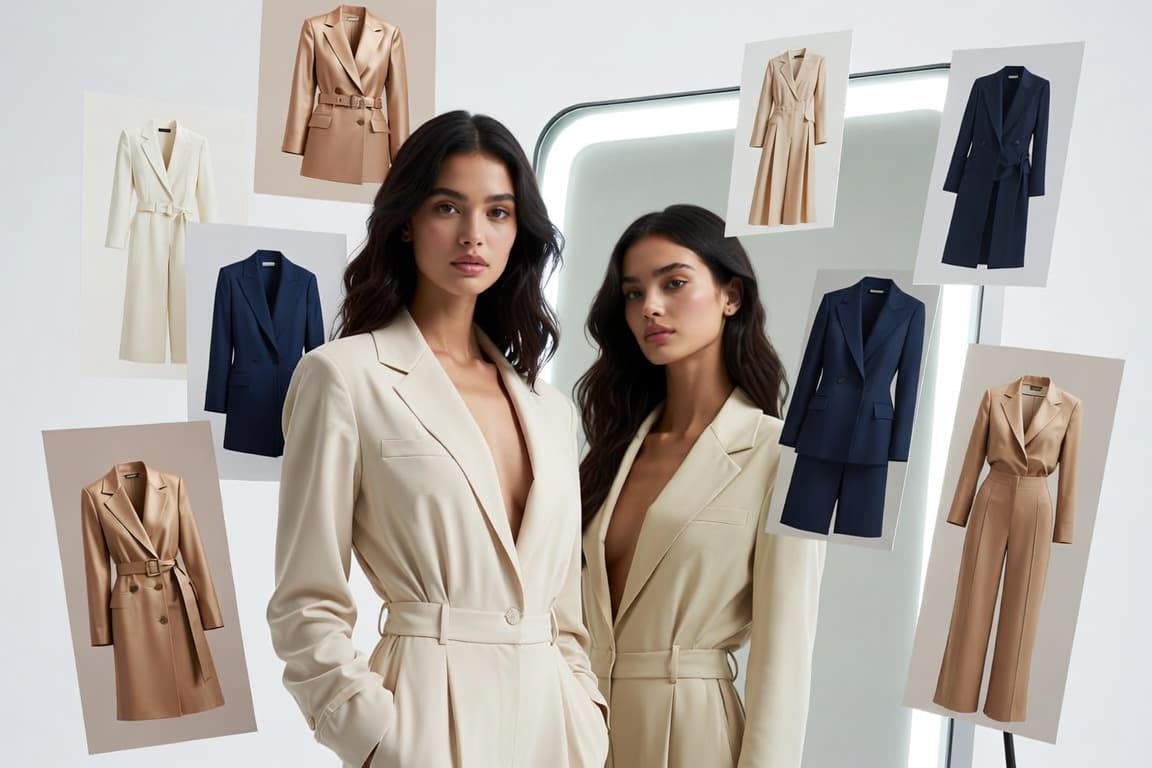
Virtual try-on takes two things - a photo of you, and a reference to the garment (a product photo or a description) - and generates an entirely new image showing you wearing that garment, built by an image-generation model trained to understand clothing, fabric, and fit. This is a meaningfully different process from digitally editing your existing photo: nothing from your original picture is literally cut out or pasted anywhere. The model studies both inputs and produces a brand new image consistent with both of them at once.
Preserving Identity While Changing Clothing
The hard technical problem is keeping your actual face and body consistent while changing everything about the clothing - this is where the quality gap between different try-on tools is usually most visible. A result that subtly changes your face shape, skin tone, or proportions has failed at the one thing that makes a try-on useful in the first place: showing you what YOU look like in something, not a stranger who resembles you. Locking identity in place while confidently changing everything about the outfit around it is a genuine balancing act, and it's usually the single biggest differentiator between a convincing result and an obviously-AI one.
Accounting for Fit and Drape
A good result doesn't just paste the garment onto your photo - it reasons about how the fabric would actually fall given your pose and body shape, aiming for something that reads as a real photograph, not a collage. Stiff structured fabric shouldn't drape like soft jersey; a fitted silhouette shouldn't hang loose; a garment's hemline, sleeve length, and neckline all need to land in physically plausible places relative to your specific proportions rather than a generic average body.
Why Photo Quality Affects the Result
A clear, well-lit, front-facing photo gives the model far more accurate information to work with than a dark or heavily angled one - this is the single biggest factor most people can control to improve their own results. The model is generating a new image FROM the details visible in your photo; a photo that obscures your face, body, or true skin tone under harsh shadow simply gives it less to work with, the same way it would be harder for another person to judge how an outfit suits you from a dark, blurry picture.
Why the Reference Product Photo Matters Just as Much
The other half of the equation is the garment reference - a real product photo showing that item's actual colour, print, and cut. A generation process built to reproduce that specific reference faithfully will give you a genuinely useful preview of the real product; one that only works from a vague text description is closer to illustrating a similar-sounding item than showing you the one you're actually considering buying.
Try It Yourself
Mirroir generates a realistic try-on image from your own photo for any recommended outfit, built from the real product's own reference photo rather than a generic description - so what you see is a genuine preview of the actual item, not an approximation.
Frequently Asked Questions
What kind of AI actually generates the try-on image?
An image-generation model, not a simple photo filter or a cut-and-paste overlay. It's given your photo and a reference to the garment (a product image or a written description), and it generates an entirely new image from scratch - reasoning about how that specific fabric, cut, and colour would actually look on your specific body and pose, rather than stamping a flat garment graphic on top of your photo.
Why do some virtual try-on results look obviously fake?
Usually because the tool is doing something simpler than genuine image generation - overlaying a flat 2D garment cutout onto a photo, or mapping clothing onto a generic 3D body model that doesn't match your actual proportions. Both approaches struggle with the things that make an image read as "real": fabric that drapes and folds naturally, shadows that fall correctly given the pose, and a face and skin tone that stay genuinely consistent with the original photo rather than drifting toward a more generic appearance.
Do I need a special photo, like a 3D body scan?
No - a normal, clear, front-facing photo taken on a phone is enough. Older try-on approaches sometimes needed multiple angles or specific poses to build an accurate 3D model of you; a generation-based approach only needs one photo to work from, because it isn't building a literal 3D reconstruction, it's generating a new 2D image that's consistent with the one you gave it.
How is this different from an Instagram or Snapchat AR filter?
AR filters work in real time on live video, which means they have to be fast and lightweight - in practice that usually means a simplified garment graphic tracked to your movement, good for a quick preview but not built for accuracy. Virtual try-on here isn't real-time: it takes a few seconds to generate one considered, high-detail static image, which is what allows for far more accurate fabric, fit, and lighting than something that has to render 30 times a second.
Can virtual try-on work for any type of clothing?
It works best on the kinds of garments and photos it has the clearest reference for - well-lit product photos with the garment's true colour and pattern visible. Complex prints, heavily textured fabrics, and very unusual silhouettes are naturally harder for any image-generation model to reproduce exactly than a plain, well-photographed garment is, though quality here has improved substantially over the past couple of years.
Does the AI actually 'see' the real product, or just imagine something similar?
A good virtual try-on result is generated FROM the real product's own reference photo - the model is instructed to reproduce that specific item's actual cut, colour, and pattern, not to invent a generic garment that's merely "inspired by" the description. That distinction matters: an imagined approximation might look fine but won't tell you anything reliable about the actual product you're considering buying.
Why does my photo's lighting and angle make such a difference?
The generated image is built starting from the information in your photo - your face, your proportions, your skin tone under that specific lighting. A dark, heavily shadowed, or extreme-angle photo simply gives the model less accurate information to preserve, the same way a badly-lit photo makes it harder for another person to judge how something would look on you. A clear, evenly-lit, front-facing photo remains the single biggest factor you can control.
Related reading
Try virtual try-on
Start Free